AI-built apps · November 2026
Why your Lovable or Bolt app is slow on phones
Short answer: the page arrives empty and the phone has to do everything: ask the server twice, download every product, sort them, draw them all, then load a huge photo. We built a small shop the way AI app builders often do, measured it on a mid-range phone, fixed five things and measured again. Main content: 14.5 s before, 1.4 s after. Both pages are live below, so you can test them yourself.
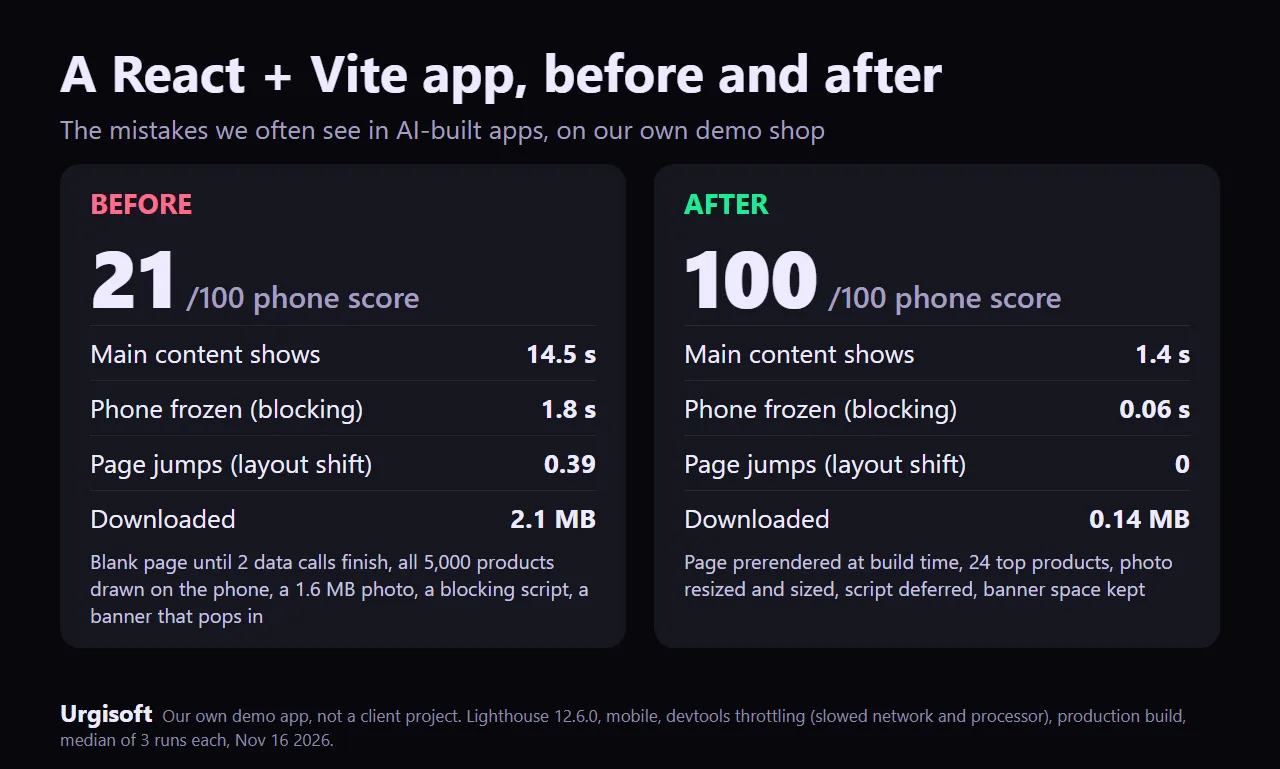
Our own demo app (React 19 + Vite 7), not a client project. Google Lighthouse 12.6, phone setting, 3 runs each, middle result.
Test it yourself
The same shop, "Hearth & Grain", twice. Open each one on your phone, or paste its address into Google PageSpeed Insights.
Before: the slow pageAfter: the fixed pageYour numbers will differ from ours a little: PageSpeed runs on Google's machines, and this site's server compresses files, which helps the slow page more than our first test did. Our own check of the live pages (November 18, Lighthouse 12.6 with its default simulated phone, 3 runs each, middle result): before, main content at 12.0 s and a score of 73; after, 2.0 s and 99.
What we measured
| Before | After | |
|---|---|---|
| Google's speed score | 21 | 100 |
| Main content shows (LCP) | 14.5 s | 1.4 s |
| Phone busy, can't answer taps (TBT) | 1,803 ms | 56 ms |
| Page jumps (CLS) | 0.39 | 0 |
| Downloaded | 2.08 MB | 0.14 MB |
Lighthouse 12.6.0, mobile, DevTools throttling (a mid-range phone on slow 4G), production build, 3 runs each, middle result, November 16, 2026. Real visitors on fast phones and Wi-Fi see faster numbers; the causes are the same.
The five mistakes, and the fix for each
- The page arrives empty. The HTML is a blank box and a spinner; nothing shows until all the JavaScript
has run.
Fix: draw the first screen at build time (prerender) so the HTML already has the products, then let React take over. - Two server calls, one after the other, and then everything. The app asks for its settings, waits, then
downloads all 5,000 products (2 MB), sorts them and draws every one on the phone.
Fix: send only what the first screen shows (we send the top 24) and load the rest when someone scrolls or searches. With Supabase, ask for the rows you show (.limit(),.range()) and sort in the query, not in the browser. - One huge photo. A 4,000-pixel, 1.6 MB hero image with no size set, loaded last.
Fix: 800 and 1,200 px WebP versions (4 KB and 6 KB here), width and height set, and a preload so the phone fetches it first. - A script that blocks the page. A 384 KB widget script in the page head, which stops everything until it
has downloaded and run.
Fix:deferit (or load it after the page shows). - A banner that pops in. The "free shipping" bar appears after the products and shoves the page down
while people try to tap.
Fix: put it in the HTML from the start, or reserve its space.
The "Add to cart" buttons work the same on both pages. One small demo is not proof that every app has these five problems, but they are the ones we see most often in apps made with AI builders.
Want this done on your app?
We fix bugs and speed up apps made with Lovable, Bolt, Replit, Cursor and other AI builders, in your own code, with the phone measured before and after. Fixed prices on Fiverr: one bug from $40, launch-ready from $150, speed work with a before/after from $400. No fix, no charge.
See the gig on FiverrBigger site or store? Get a free speed report or see the Diagnosis. Also: why Next.js stores are slow on phones.